 (Fabio Alessandro Locati|Fale)'s blog
Btrfs scare
May 31, 2026
Last weekend, I updated and rebooted the system, but it did not come back online. Checking with IPMI revealed that the ata-2 disk was not responding to the operating system, preventing a clean mount of the Btrfs filesystem and halting the system from completing the boot sequence.
My Btrfs array is composed of 6 SSD disks, all with different ages, except for the first two, which arrived together at the beginning. So, I was not overly concerned with one of the original disks failing. Sooner or later, it would have happened, and I was ready for it. Also, I set all data, metadata, and system to be RAID 1, so no data was at risk.
So, I mounted the volume manually with the degraded option, ran the btrfs device remove /dev/mapper/data2 command, and waited for all the blocks on that device to be replicated to other disks, and the disk was marked as removed. After 6 hours of processing, all data and 2 of the 3 metadata blocks got moved successfully, but during the move of the last metadata block, the process failed because data5 (which is connected to ata-5 became unresponsive. This left me puzzled. Manually mounting the Btrfs volume only works in degraded mode, but now it mounts read-only because the lost metadata block on ata-2 was replicated to ata-5, leaving the Btrfs filesystem in an inconsistent state. Since it was late in the day, I decided to shut down the system and deal with it the morning after.
The day after, I restarted the system, and - as you can imagine - both ata-2 and ata-5 are not recognized, which forces the system into a not fully bootable state. Between my previous attempt and the day after, I thought about this issue because something felt off, since the ata-5 disk is one of my newest. Looking deeper into dmesg, it caught my attention the following state:
- ata-1 was ok
- ata-2 was the disk not responding
- ata-3 was ok
- ata-4 was ok
- ata-5 was the disk not responding
- ata-6 was ok
- ata-7 was an empty slot
What caught my eye was that ata-7 was seen as an empty slot (correctly), while ata-8 was not seen at all. In my setup, I have the disks on the built-in backplane of my SilverStone CS280 case, which is connected to two OCuLink cables (ata-1 to ata-4 on one cable, and ata-5 to ata-8 on the other). I started to feel that the disks weren’t the issue; the problem was somewhere else. I shut down the system and moved data5 from ata-5 to ata-7. In theory, I could have done it hot, but adding risk in this situation didn’t feel like the smartest move. On reboot, data5 was now seen successfully on ata-7. This allowed me to remount the Btrfs filesystem in degraded but read-write mode, which enabled me to finish removing the data2 disk and, therefore, the Btrfs filesystem became healthy again. Also, this proved that the issue was not the disk, but the backplane.
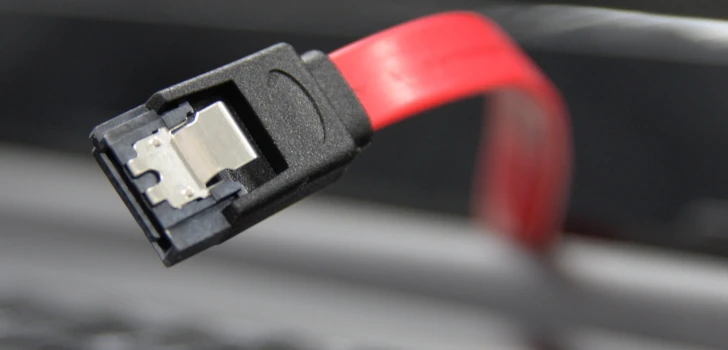
I then removed the backplane and connected the disks directly to the SATA cables. This made me lose the hot-swap-ability of disks, but restored all my disks to a working state, including data2! Losing the hot-swap capability is not a big loss for me, since I can afford planned downtime on this system, and I rarely, if ever, leveraged that capability in the real world.
This was the first time I had to deal with a degraded Btrfs filesystem in the real world. Although I did not enjoy it at the moment, I am happy to see the reliability of this filesystem under such conditions. Having already tested the Btrfs degradation recovery process in test environments, it helped me take it easy, at least until I saw the second disk failing. Even there, Linux debugging skills allowed me to find the issue without too much pain.
Overall, I think it is key to know the technologies that we use daily and how to handle problematic situations. I always suggest that everyone test in a safe environment for common problematic situations if they have not done so (or have not done so recently). Sooner or later, something will fail, and the likelihood of recovery depends heavily on your knowledge of the system and related procedures.